
BILL Elements
Embed low-code BILL UI Elements into your application. BILL Elements are pre-built, fully theme-able UI widgets that can enable your business to handle complex financial workflows.
The BILL Elements advantage
With BILL Elements, you get access to the complete BILL AP workflow from onboarding to AP payments. When you embed Elements into your applications, you save months of development time and automatically get access to BILL compliance.
Drop UI widgets into your applications with just a few lines of code.
Customize colors, fonts, and styles to seamlessly match your brand.
BILL handles identity verification, KYC/KYB checks, & secure funding account management.
BILL Elements workflow
We illustrate a user journey from onboarding to AP payments. In this workflow, solid lines show the primary flow, and dotted lines indicate possible variations.
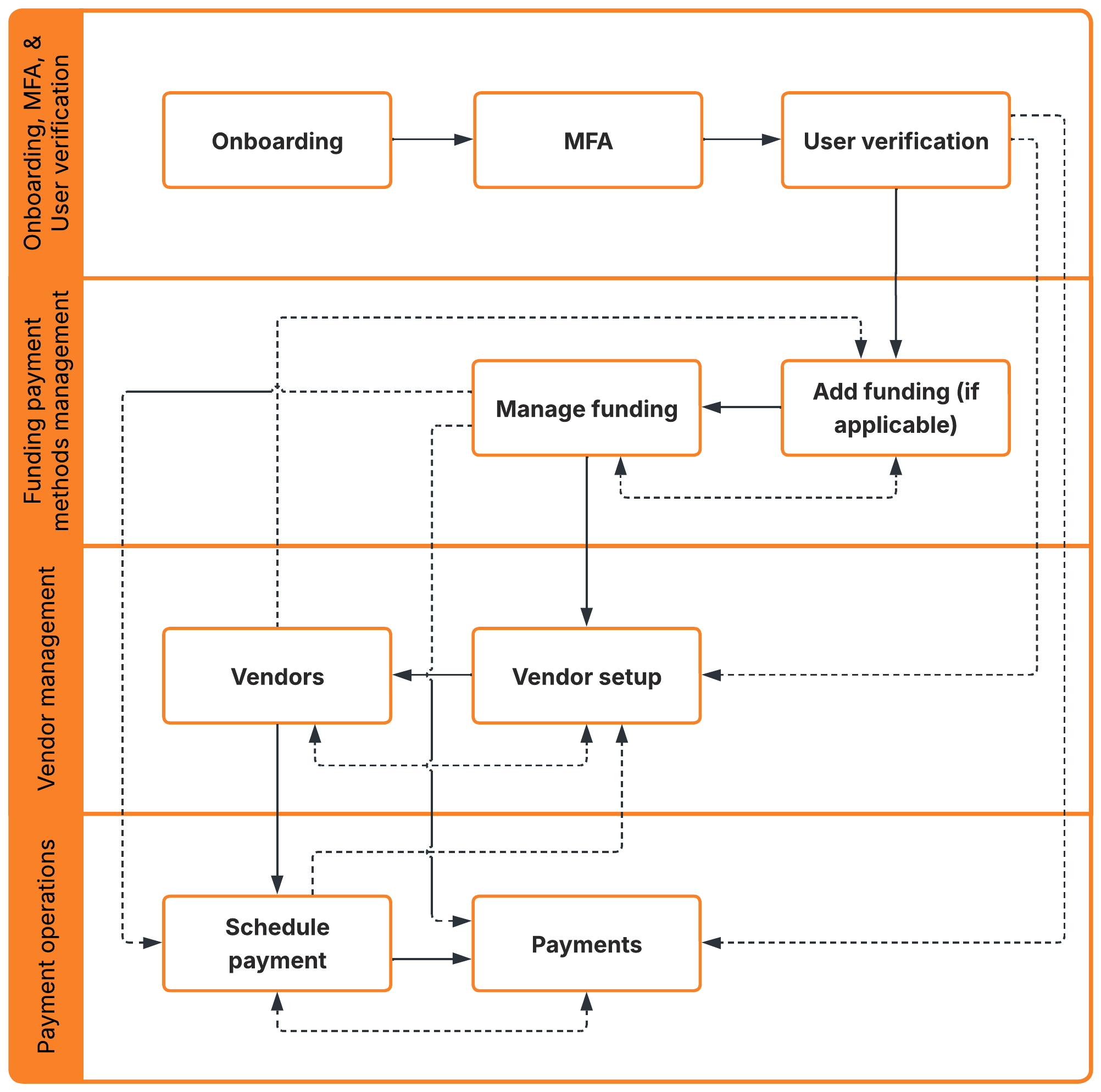
BILL Elements workflow
Many BILL Element operations require MFABILL requires MFA to add funding methods, schedule payments, or change a registered phone number. BILL automatically triggers the MFA verification step users want to perform these operations.
A user session is MFA-trusted when the user adds a valid phone number, and completes user verification (if required). BILL provides the option to remember a device for 180 days.
List of available BILL Elements
The BILL Elements library provides UI components for the BILL AP workflow. In this section, we categorize Elements that help you identify the required components in your integration.
See Elements integration guide to learn how easy it is to integrate with BILL Elements.
Onboarding, MFA, & User verification
Ensure that organizations and users are verified and MFA-secured before they continue in the AP payments workflow. This set of Elements handle all the critical KYC/KYB requirements.
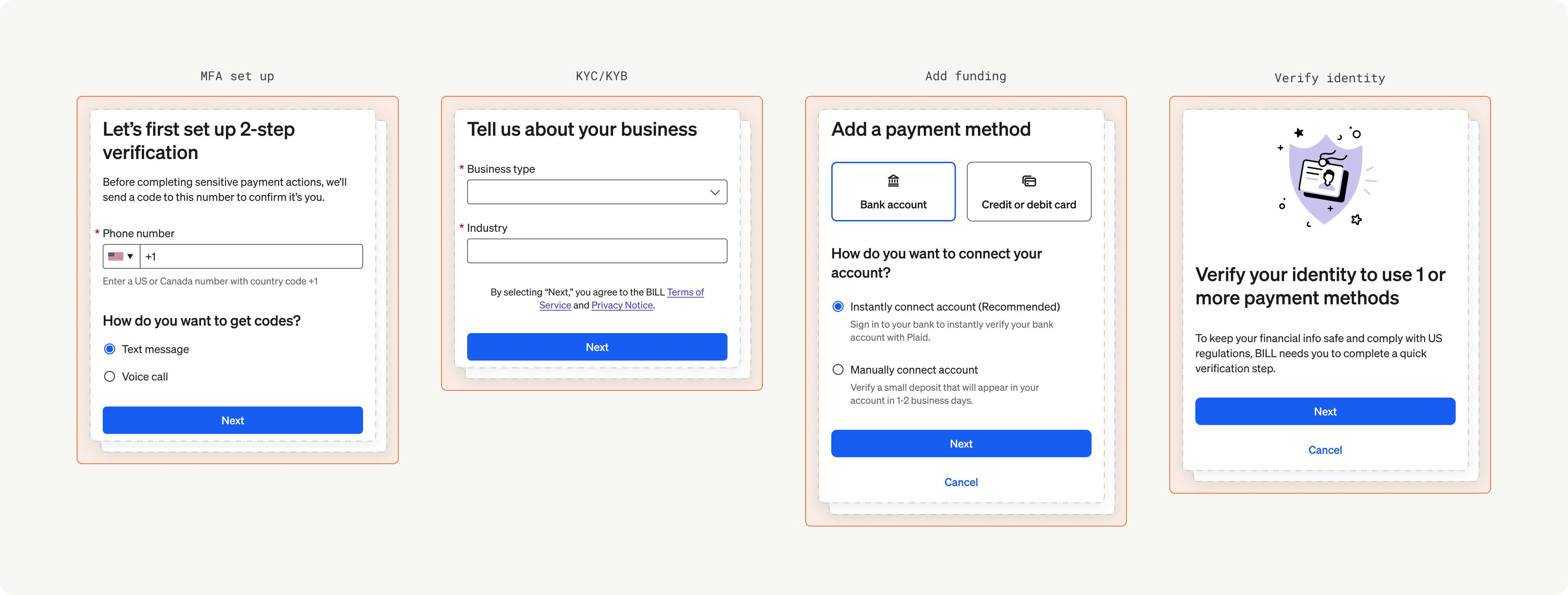
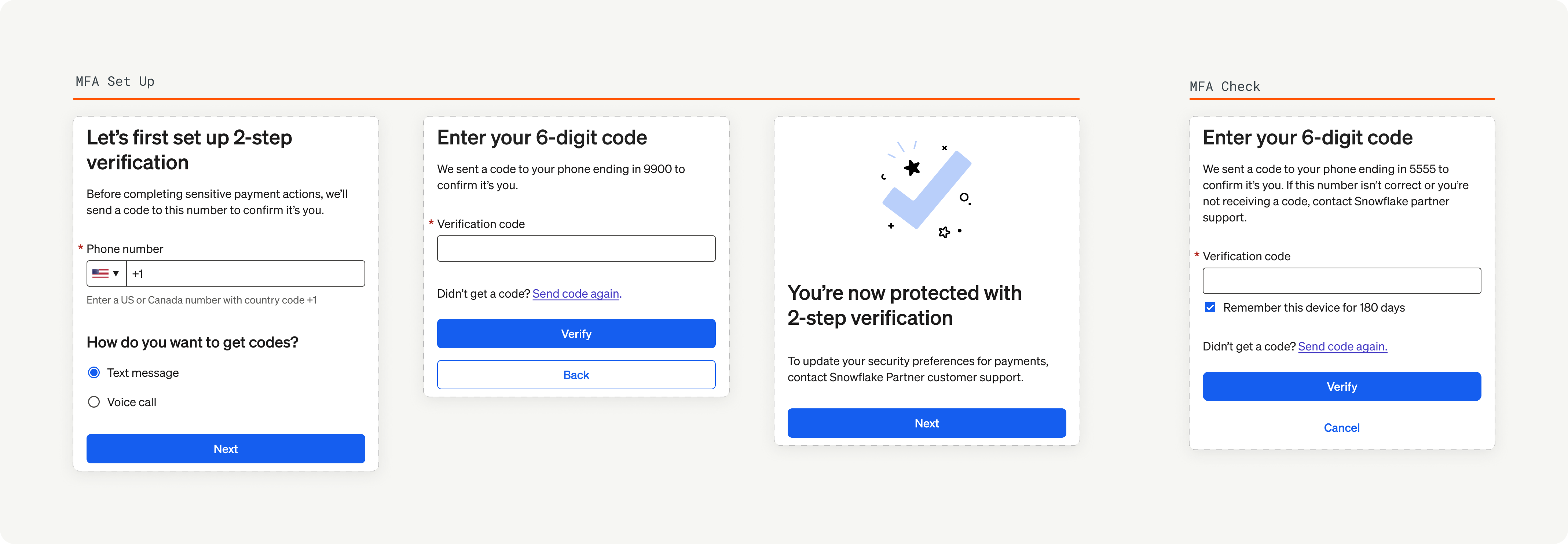
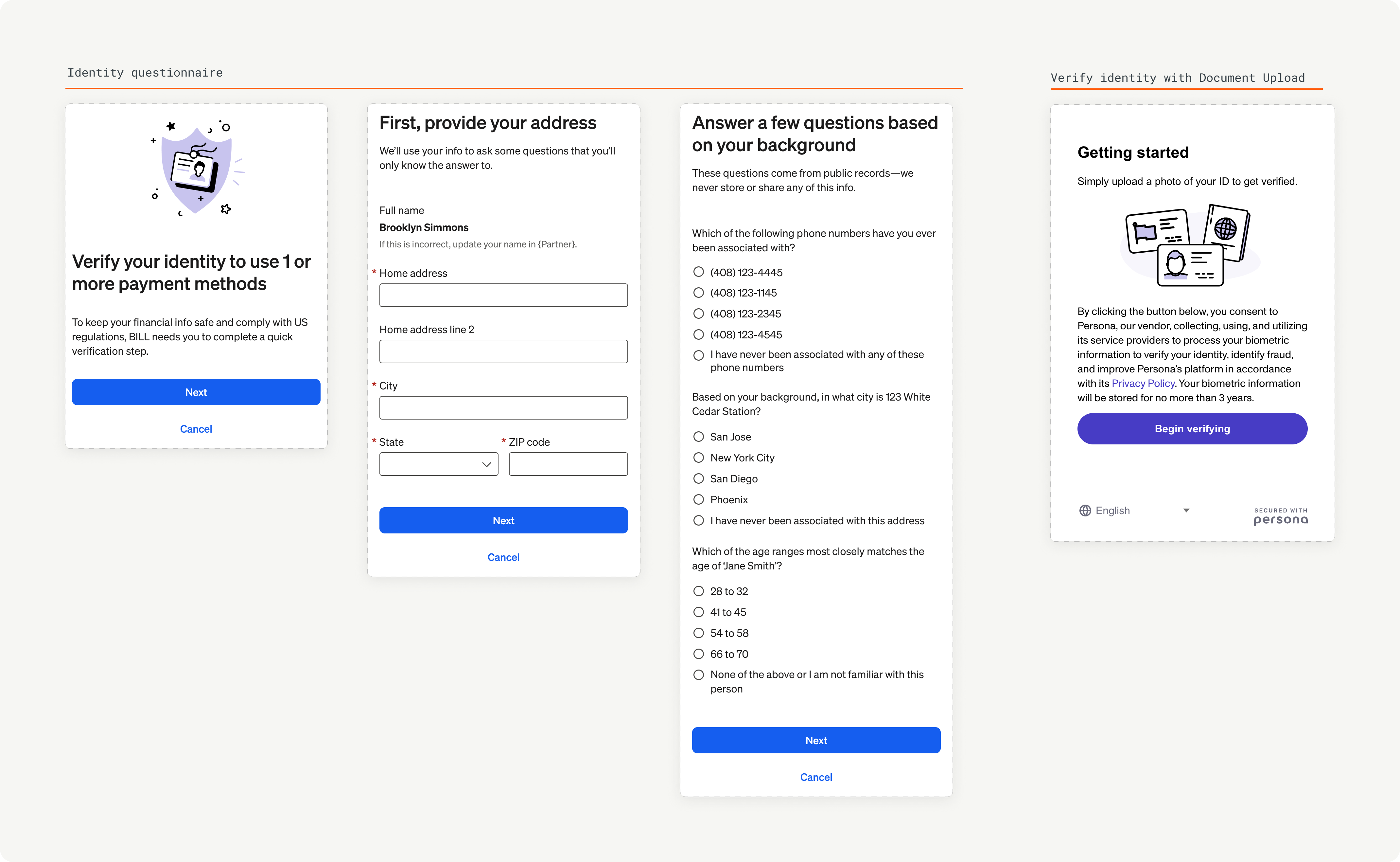
Complete KYC/KYB checks, set up MFA, complete user verification, & add funding payment methods.
This Element serves as the entry point for new organizations to start their AP payments journey.
Add a valid phone number, select a validation method, & complete MFA challenge when BILL requires an MFA-trusted user session.
BILL provides the option to remember a device for 180 days.
Automatically manage risk. For users flagged by the BILL risk model, this Element enables identity verification.
BILL provides automatic knowledge-based authentication & manual document upload.
Funding payment methods management
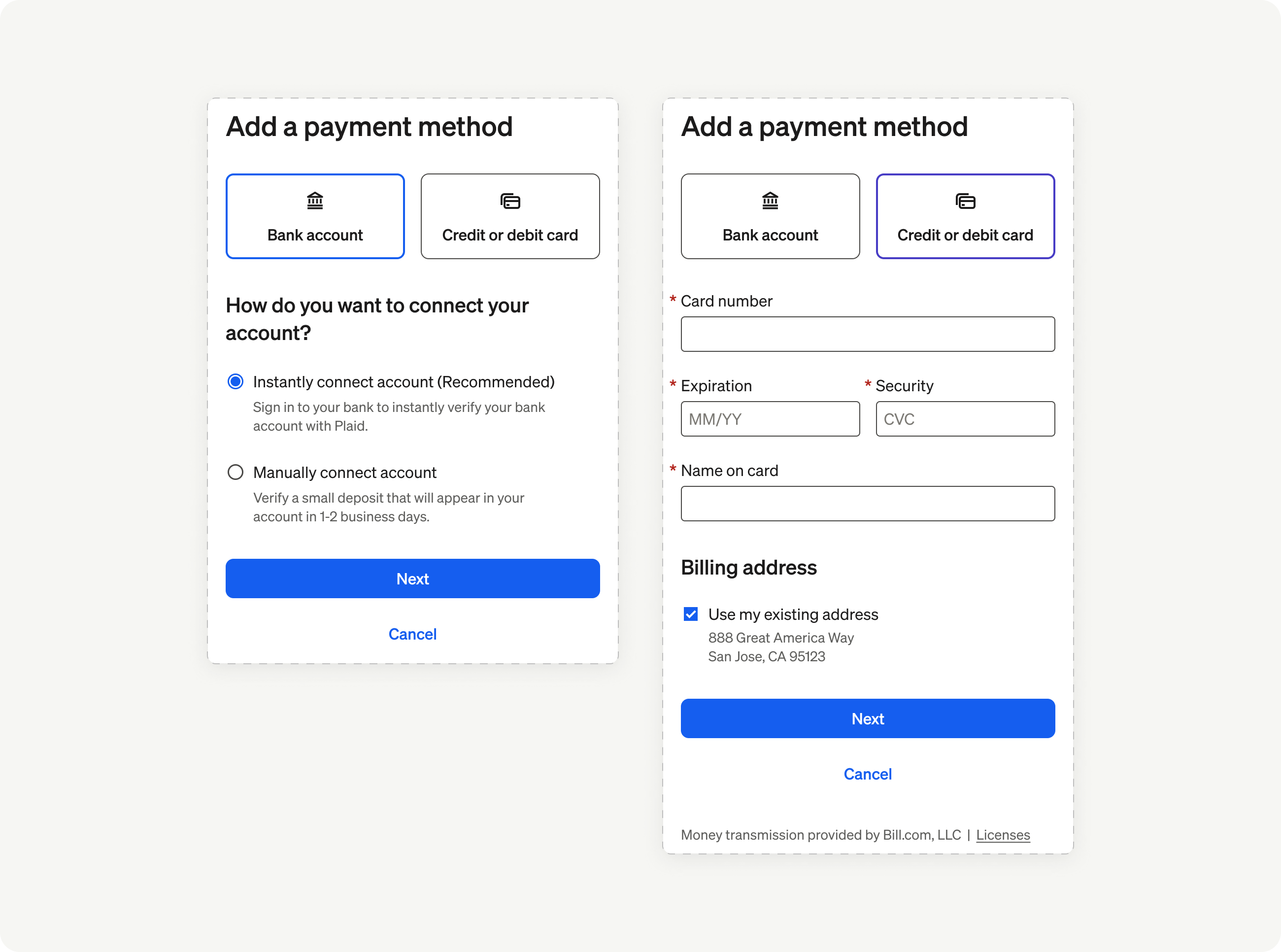
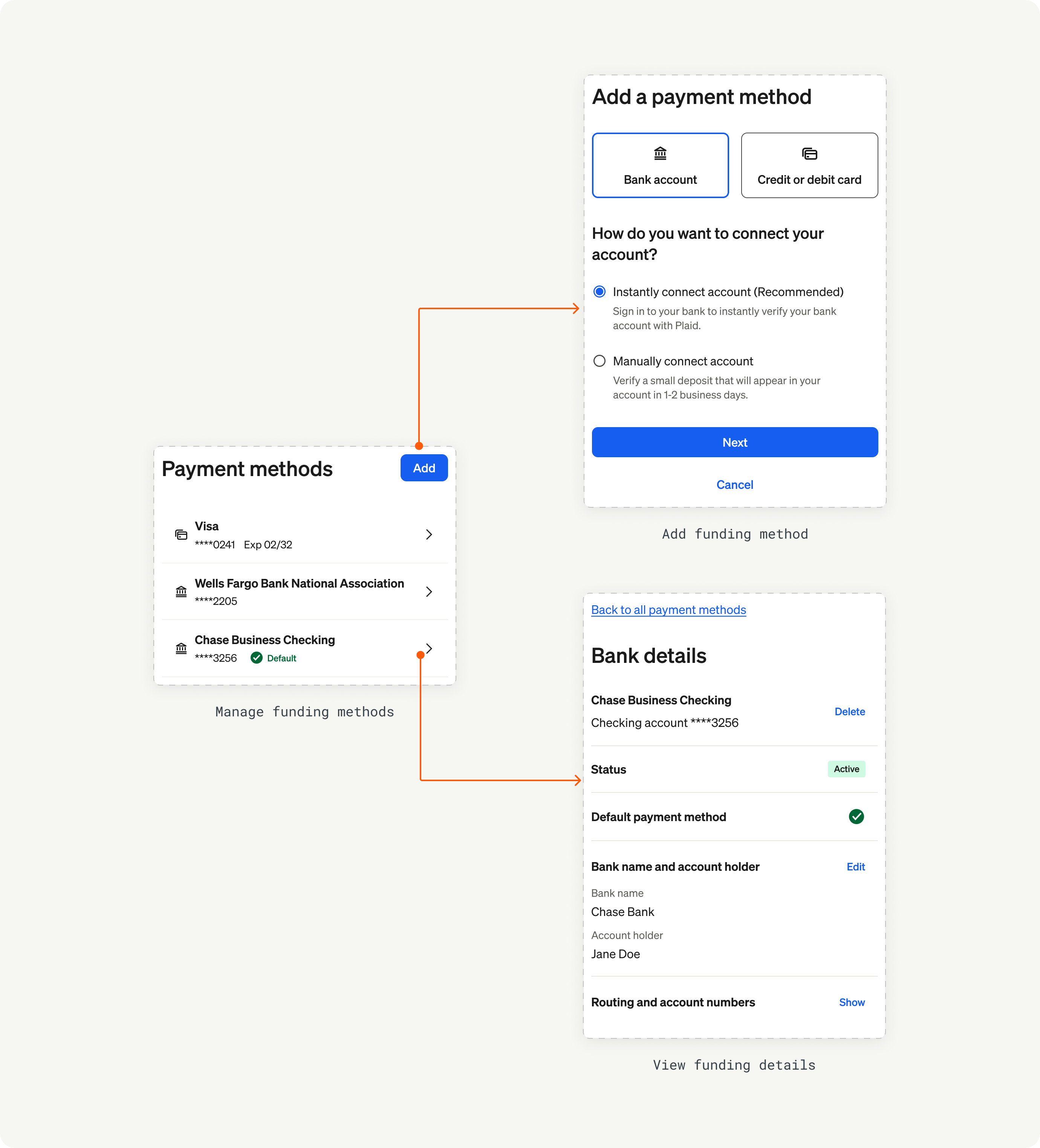
Securely connect bank accounts and cards. Enable users to securely connect the financial accounts they will use to pay bills and vendors.
Vendor management
Simplify vendor management. Give your users a powerful directory to manage their vendors and connect with vendors in the massive BILL Network for electronic payments.
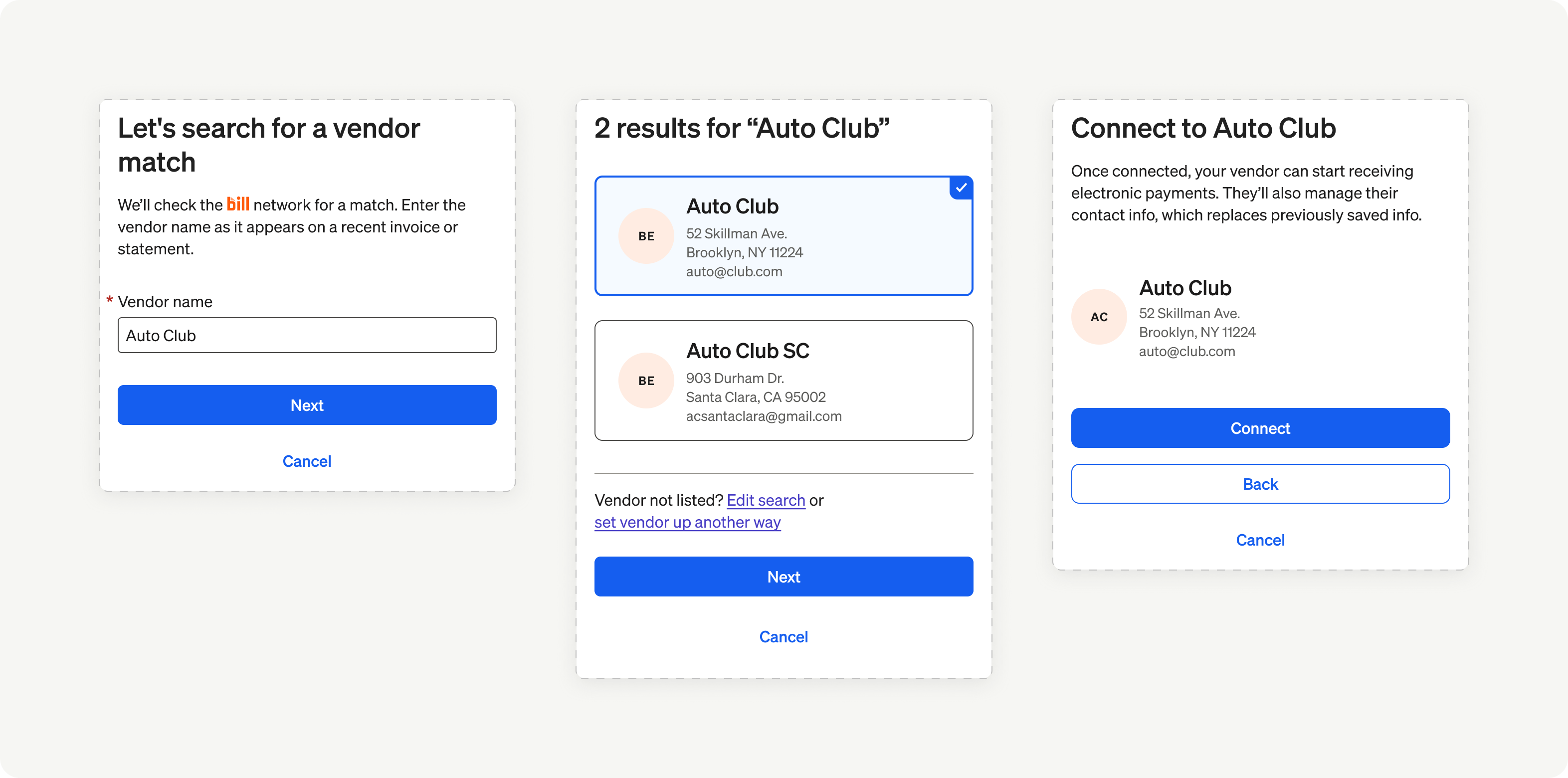
Create new vendor records, configure for ePayments, & connect in the BILL Network.
BILL automatically enables payments to connected vendors with ACH, virtual card, or check.
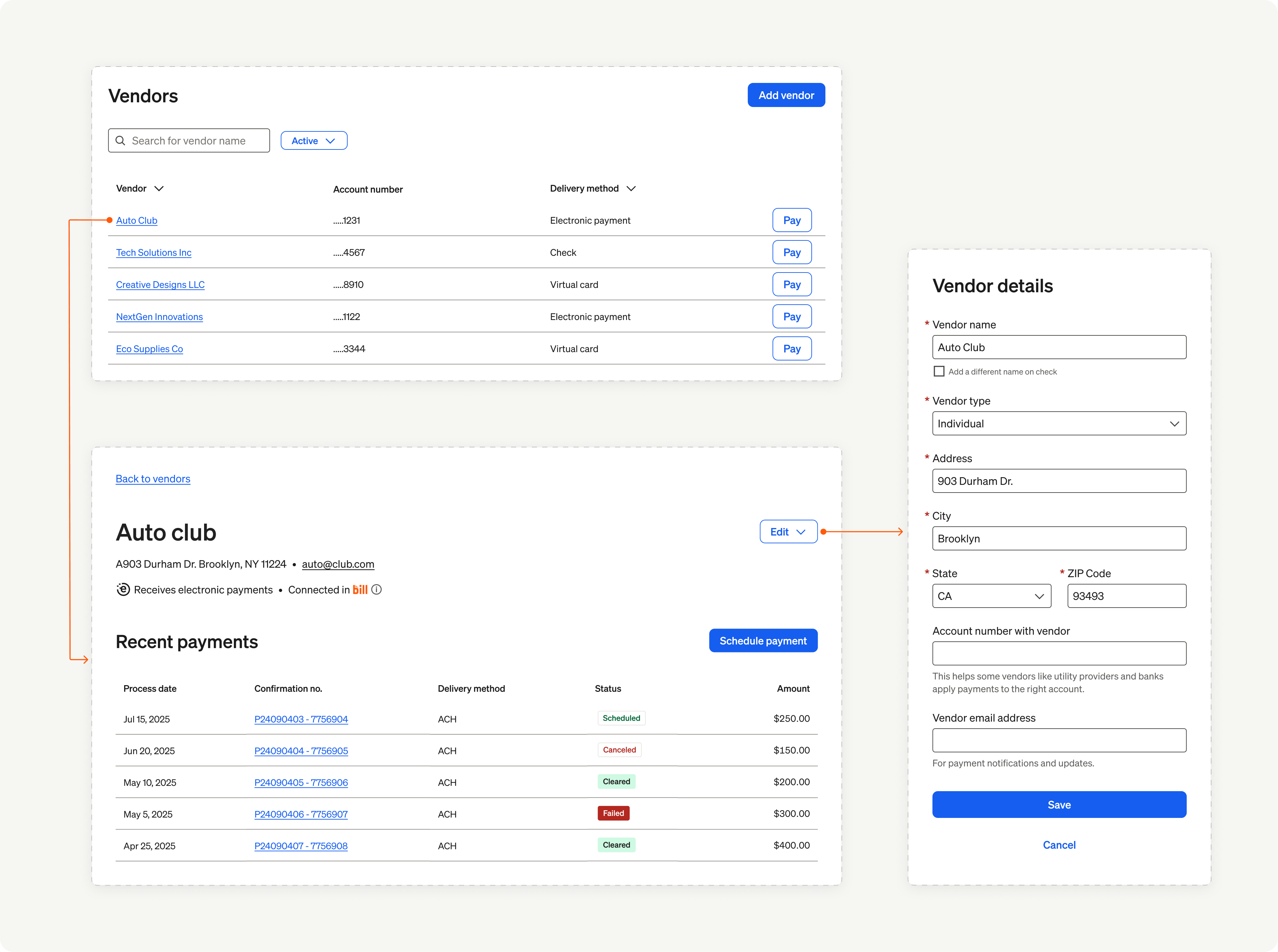
Centralized directory view. Filter, sort, & paginate through the vendor list.
From the vendor list view, add new vendors, manage existing vendor details, & schedule payments.
Payment operations
Schedule and track payments effortlessly. A complete command center to enable users to schedule, view, and manage their payments.
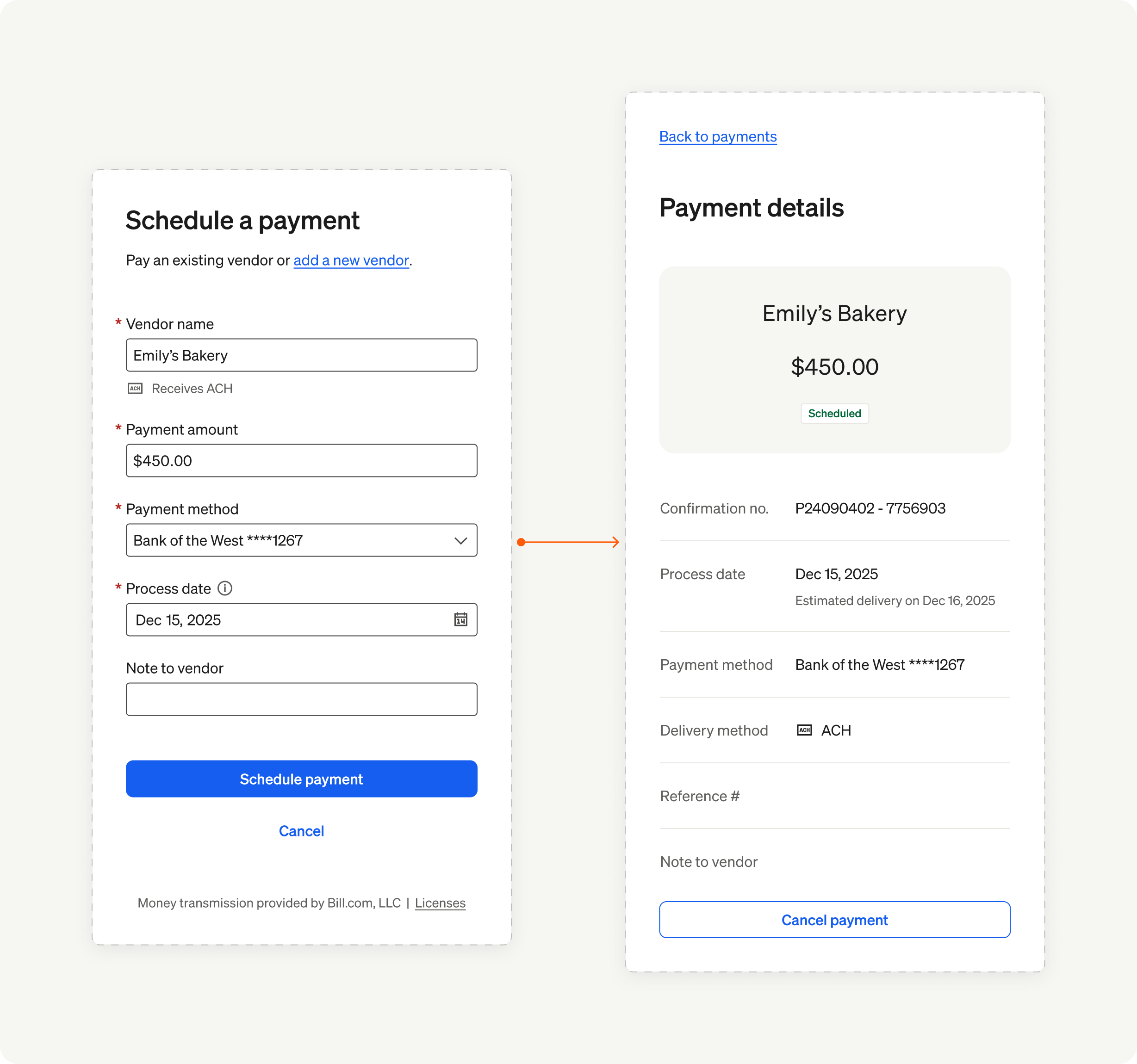
Schedule payments to domestic & international vendors.
View vendor preferred payment method, set process dates & notes. This Element provides validations to prevent duplicate payments.
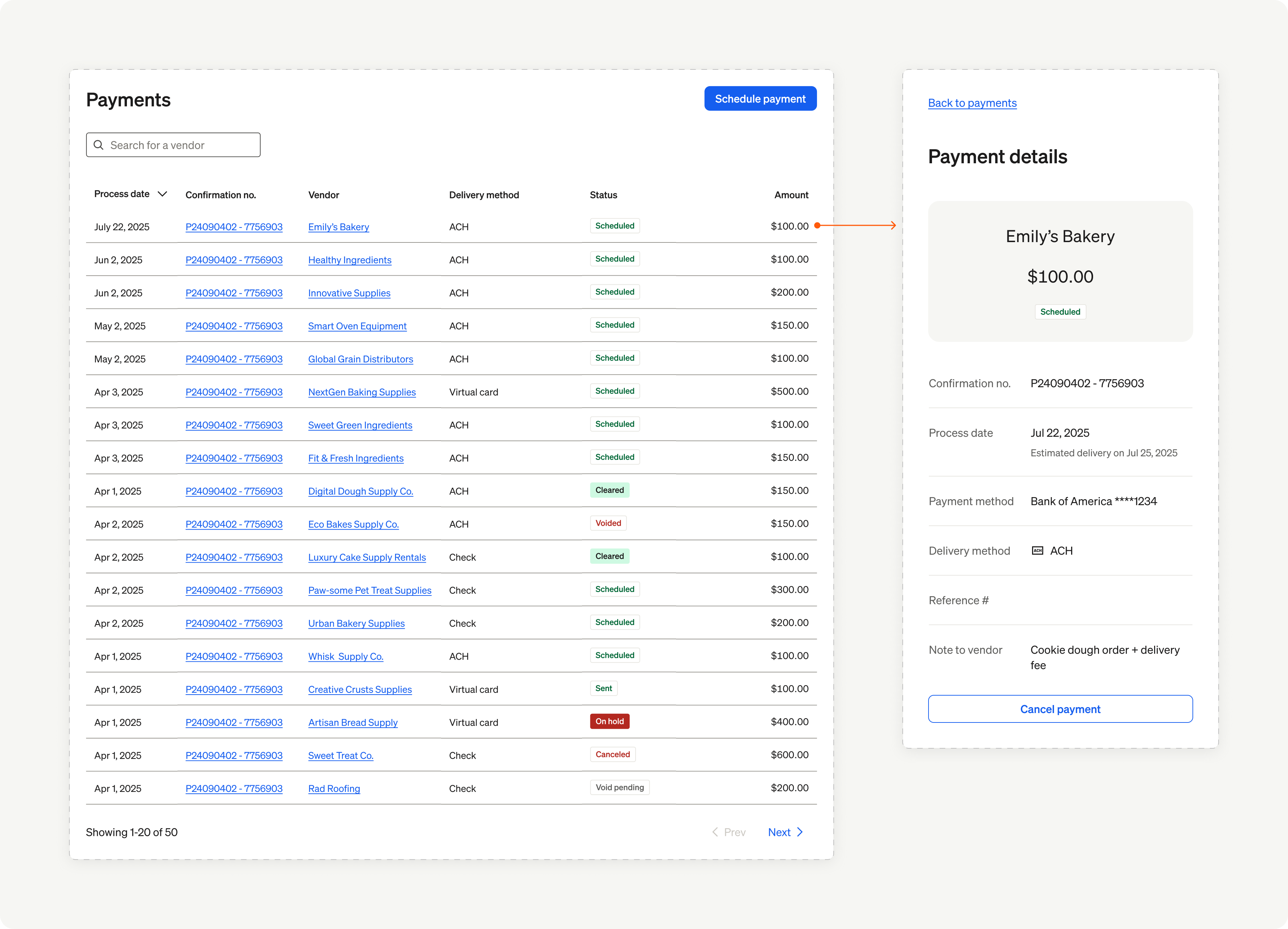
Payments history & management hub. View scheduled, in-flight, & completed payments.
Filter payments by vendor, void & cancel payments, & review payment details.
Documentation resources
| Section | Description |
|---|---|
| Elements overview | BILL Elements introduction. |
| Elements integration guide | Brief overview of a BILL Elements integration. |
| Elements reference | User experience & implementation details for working with each Element. |
| API guides | Introduction to the core BILL v3 API concepts. |
| API reference | Complete list of BILL v3 API endpoints with request & response fields explained. |
| Postman Collection | Simply fork the BILL Postman Collection & begin testing with different BILL v3 API workflows. |
| Common API error codes | Common BILL error messages for API operation failures. |
| FAQs | Frequently Asked Questions (FAQs) about the BILL v3 API workflows. |
| BILL Help Center | BILL knowledge base with help & support resources for BILL customers. |
| BILL Developer Terms | Legal agreement between BILL and any organization you identify in your registration with BILL. |
Updated 7 months ago