
Schedule payment Element
What is the Schedule payment Element?
The Schedule payment Element enables users to schedule a one-time payment to a vendor. When scheduling a payment, users can add payment details, such as funding payment method, a note for their vendor, and a process date for today or for a date in the future. Vendors will receive payments in their set payment method - ACH, virtual card, or check.
NOTE: Currently, users can schedule only one-time payments to US vendors.
Element features
The Schedule payment Element enables a set of user interactions and features.
| Feature | Description |
|---|---|
| Add payment details | Add the name of an existing vendor, payment amount, funding payment method, and payment process date. In addition, add an optional note to the vendor. |
| Display the vendor’s set payment method | Display the payment method in which the vendor will receive the payment |
| Add a new vendor record | Add a new vendor record in the BILL organization before scheduling a payment to that vendor. Adding a new vendor record is available with the Vendor setup Element. The |
| Display a confirmation screen | When a payment is scheduled, a confirmation screen is displayed. |
| Payment delivery date information | BILL calculates the estimated payment delivery date based on the process date and the vendor’s set payment method for a bill payment. |
| Validation for preventing duplicate payments | Display an alert message when you attempt to schedule a duplicate payment to a vendor. |
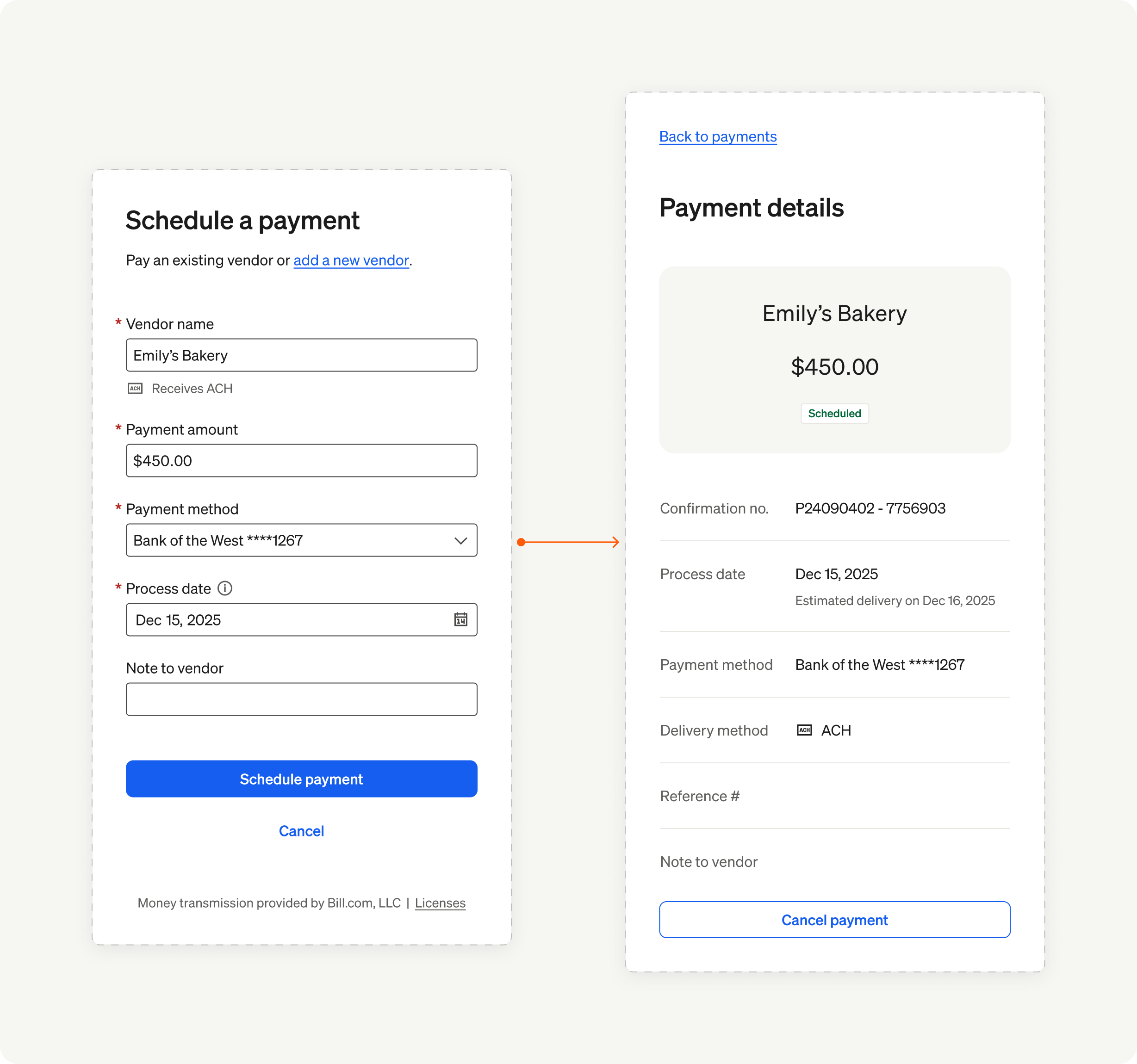
Schedule payment Element overview
In the next set of sections, we showcase the user experience and implementation details for the Schedule payment Element.
Updated 8 months ago