
Vendors Element
What is the Vendors Element?
The Vendors Element enables users to view a list of their vendors. With this Element, users can filter vendors, manage vendor details, and schedule payments.
Element features
The Vendors Element enables a set of user interactions and features.
| Feature | Description |
|---|---|
| Display a list of vendors | Display a list of all vendor records in the organization. The list displays the vendor name, account number, delivery method, and enables scheduling payments. |
| Filter, sort, and pagination | Filter vendors by name or by status ( Navigate between pages when there are more than 20 vendors in the list. |
| Vendor details | Click a vendor in the list to get detailed information about the selected vendor. |
| Create a new vendor record | Create a new record in your organization for a US or an International vendor. Choose one of the following methods to set up their payment details:
|
| Configure an existing vendor for ePayment | Configure an existing vendor for ePayment by choosing one of the following methods:
|
| Connect with a vendor in the BILL Network | Connect a new or existing vendor record from your organization to a vendor in the BILL Network. When connected, BILL updates your existing vendor record with payment information and payment preferences from the BILL Network. NOTE: This feature is supported for both US vendors and International vendors. |
| Edit an existing vendor record | Update the information for an existing vendor. |
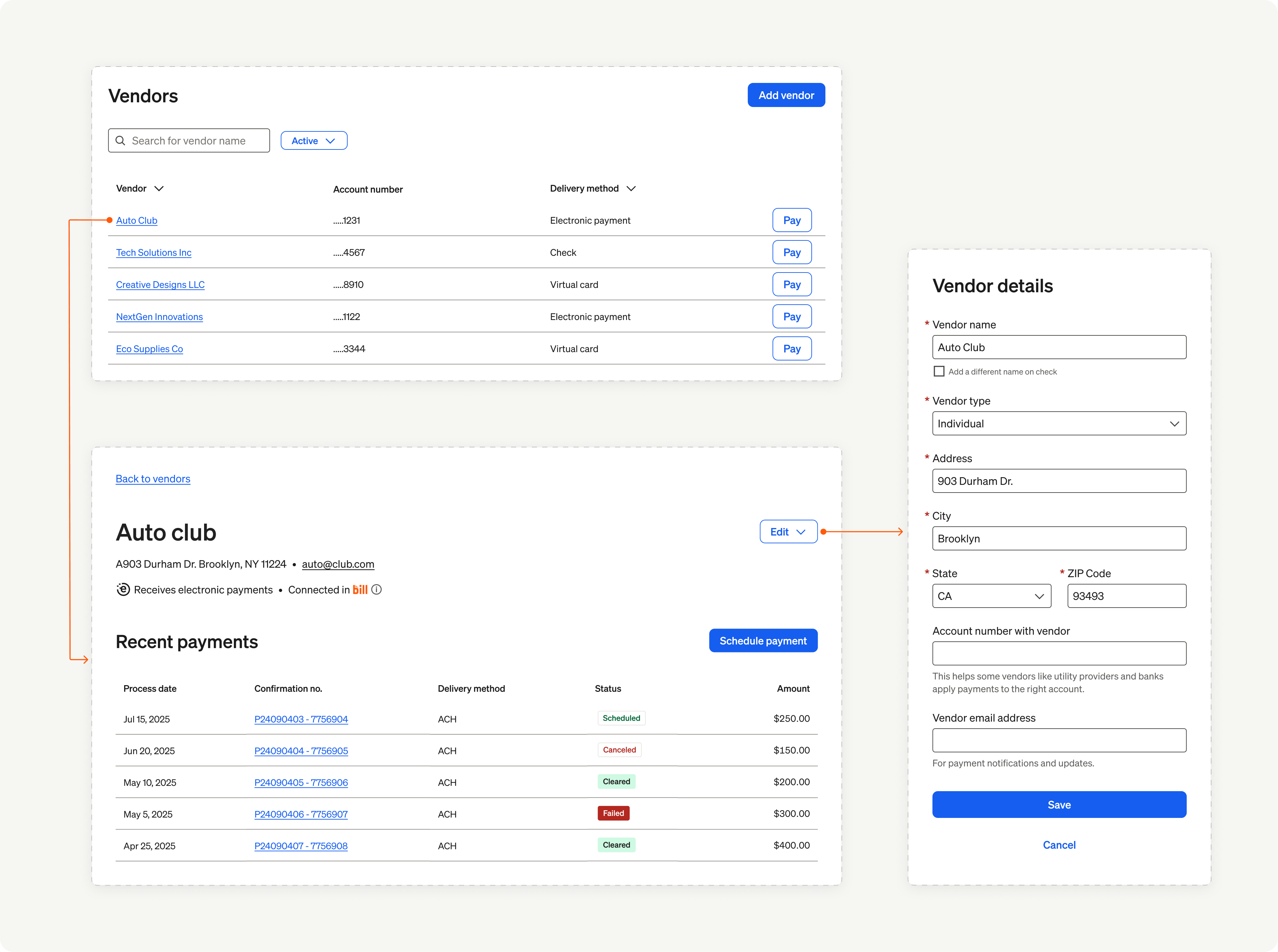
Vendors Element overview
In the next set of sections, we showcase the user experience and implementation details for the Vendors Element.
Updated 4 months ago