
Vendor setup Element
What is the Vendor setup Element?
The Vendor setup Element enables users to create new vendors. In addition, users can connect an existing vendor record from their organization to a vendor in the BILL Network or invite their vendor to the BILL Network. A vendor is required for creating a bill, and vendor information is required for any AP payment request.
When a user connects a vendor to the BILL Network, they enable electronic payments without needing to manage the vendor's bank or contact information. The connected vendor receives payment by their set payment method, such as ACH, virtual card, check, or international wire transfers (including USD Wire and FX Wire).
NOTE: BILL supports payments to vendors in more than 130 countries (outside US). See Supported Countries for more information.
Element features
The Vendor setup Element enables a set of user interactions and features.
The table below lists these features, grouped by availability: features for both US vendors and International vendors and features for International vendors only.
Features for both US vendors and International vendors
| Feature | Description |
|---|---|
| Create a new vendor record | Create a new record in your organization for a US vendor or an International vendor. Choose one of the following methods to set up their payment details:
|
| Configure an existing vendor for ePayment | Configure an existing vendor for ePayment by choosing one of the following methods:
|
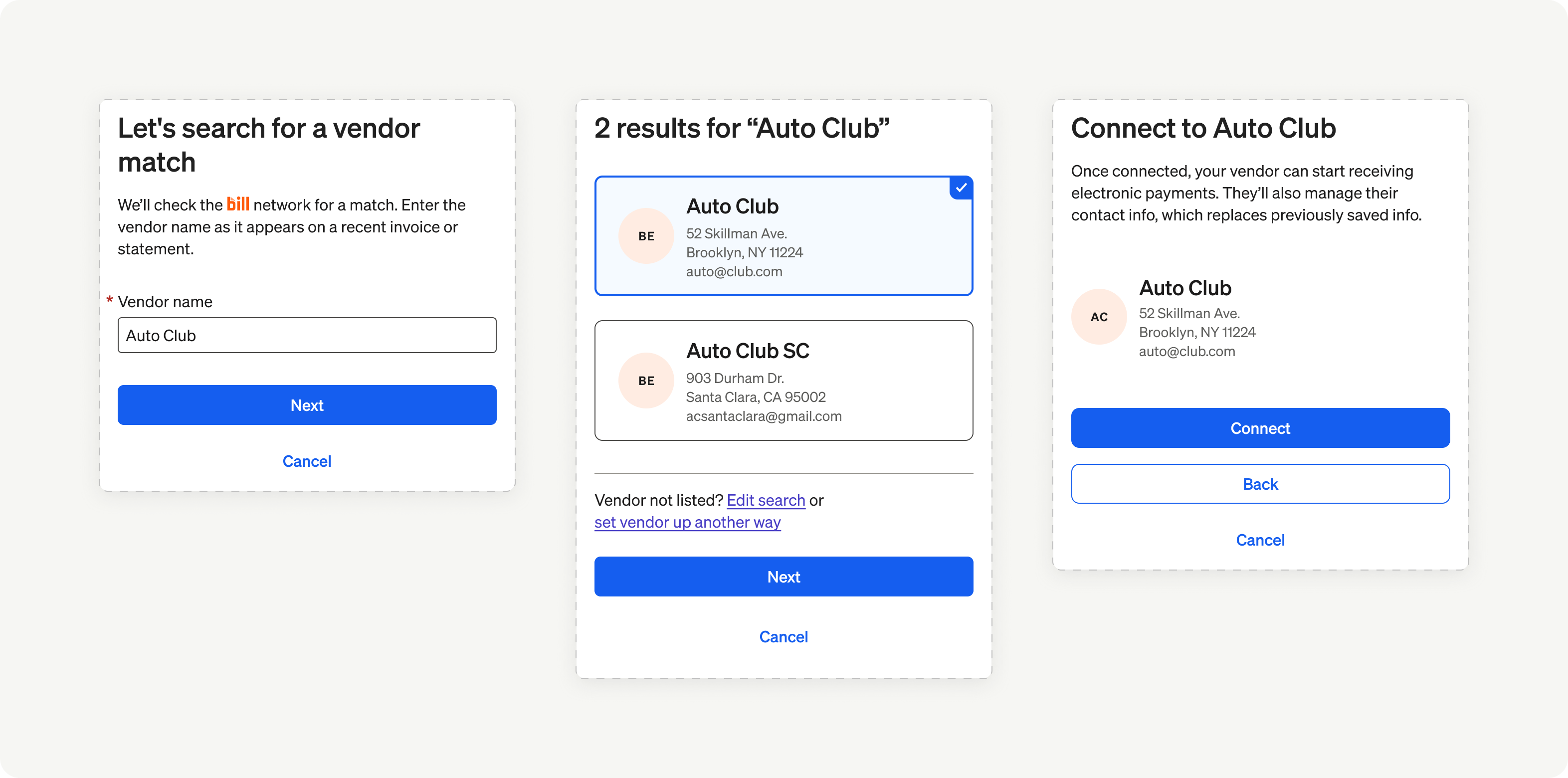
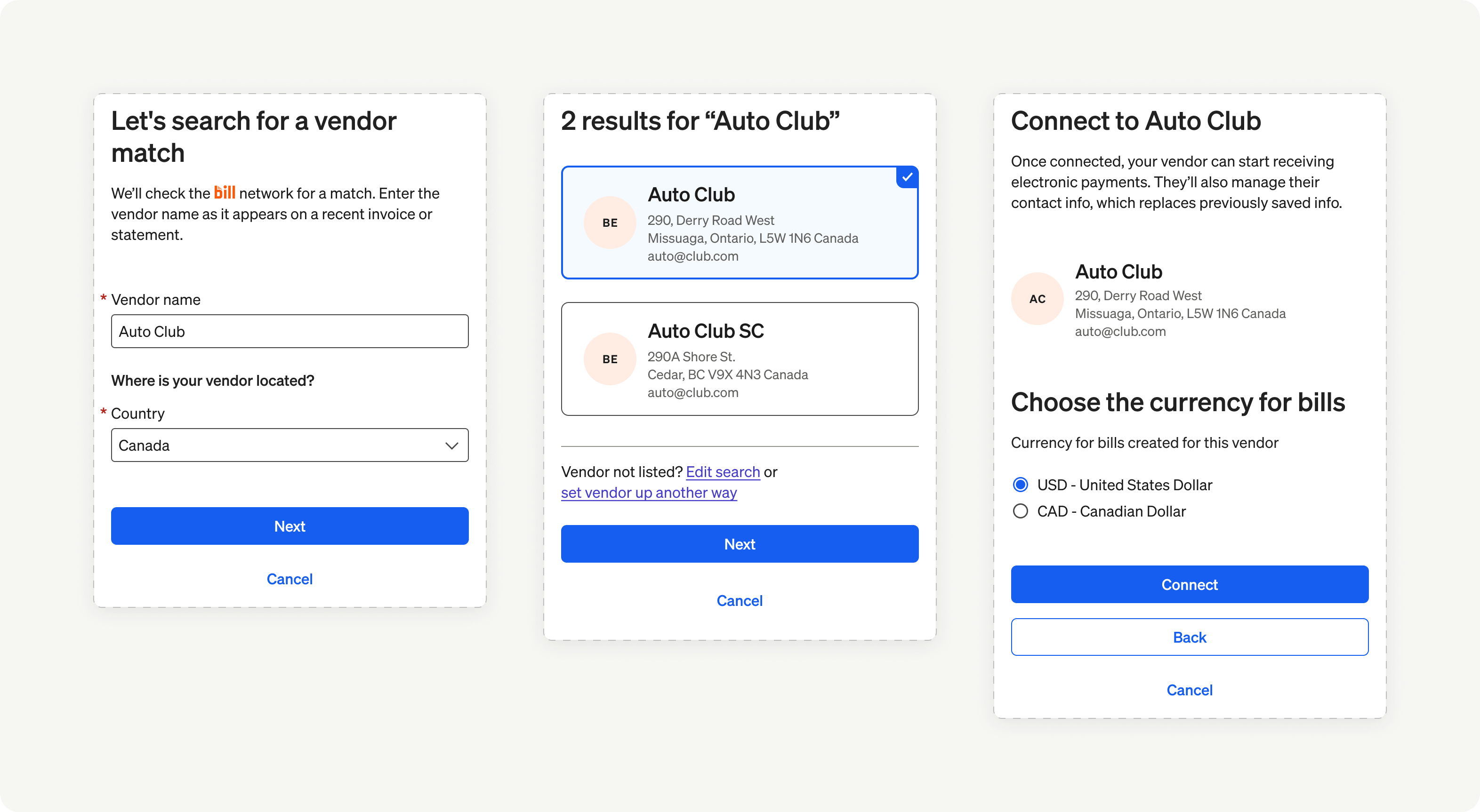
| Connect with a vendor in the BILL Network | Connect a new or existing vendor record from your organization to a vendor in the BILL Network. NOTE: BILL supports a growing number of international countries on the network. |
| Invite vendors to join the BILL Network | Send a BILL Network invitation to vendors not available in the BILL Network. This enables vendors to join the BILL Network. |
| Edit payment information | Update vendors bank information, including the account and routing number for domestic payments (for US vendors) or the bank code and transit number for international payments (for International vendors). |
| Remove a vendor connection | Disconnect from a vendor in the BILL Network. |
| Cancel a vendor connection invitation | Cancel an invitation that was sent to a vendor to join the BILL Network. |
Features for International vendors only
| Feature | Description |
|---|---|
| Invite a vendor to the portal | If you do not know your vendor’s international bank information and they are located in a country that’s not supported on the BILL network, send an invitation to the vendor to one-time add their bank information in a secure self-service portal. |
US vendors
International vendors
In the next set of sections, we showcase the user experience and implementation details for the Vendor setup Element.
Updated 8 months ago