
Vendor setup: User experience
In this section, we showcase visuals and the primary user interactions with the Vendor setup Element.
See Vendor setup: Implementation for implementation details, including pre-conditions, custom events, and error handling.
Core behavior and requirements
With the Vendor setup Element, BILL has a set of requirements for the expected behavior.
| Behavior & requirements | Description |
|---|---|
| User role | The organization user must have the ADMINISTRATOR user role to manage vendors in the organization. |
| International vendor support |
|
Initialize the Element experience
When you initialize the Element experience with the register() function, the behavior and pre-filled data depend on the parameters sent in the inputs object.
| Input | Result |
|---|---|
No vendorId is sent as input | The user can create a new vendor record |
No vendorId is sent as input, vendor name and/or address sent as an input | The user can create a new vendor record with prefilled name or address details |
A vendorId is sent as input | The user can update an existing vendor record |
A vendorId for a US vendor is sent as input, and the vendor does not have a complete address on file (address line 1, city, state, zip) | An error message explains that the vendor is missing an address |
A vendorId is sent as input, and the vendor is in an unsupported country for payments | An error message explains that the country is unsupported for payments |
A vendorId is sent as input, and the vendor is an International vendor without user-managed bank information on file and with open bills. | A message explains that vendor details cannot be updated because bills exist on the vendor record |
A vendorId is sent as input, and the vendor has bank information already on file | The user is redirected to update the vendor’s private bank information |
A vendorId is sent as input, and the vendor has an outstanding invitation to the vendor to join the BILL Network | The user is asked if they want to cancel the outstanding invitation |
A vendorId is sent as input, and the vendor is a network connected vendor | The user is asked if they want to cancel the connection with the vendor |
A vendorName is sent as input | The vendor name search field is pre-populated |
Both vendorId and vendorName are sent as input | The name associated with the existing BILL vendor (vendorId) is used to pre-populate the vendor name search field |
A vendorAddress is sent as input | The address fields are pre-populated. |
Both vendorId and vendorAddress are sent as input | The address associated with the existing BILL vendor (vendorId) is used to pre-populate the address fields. |
A lockBillCurrency is sent as input | If set to true with a NOTE: The value defaults to |
Plan your user experience
In this section, we outline key considerations for planning a seamless user experience when integrating with the Vendor setup Element into your application. Ensure that you address each point thoughtfully to realize the full value of the Element capabilities in your existing experience.
US vendors
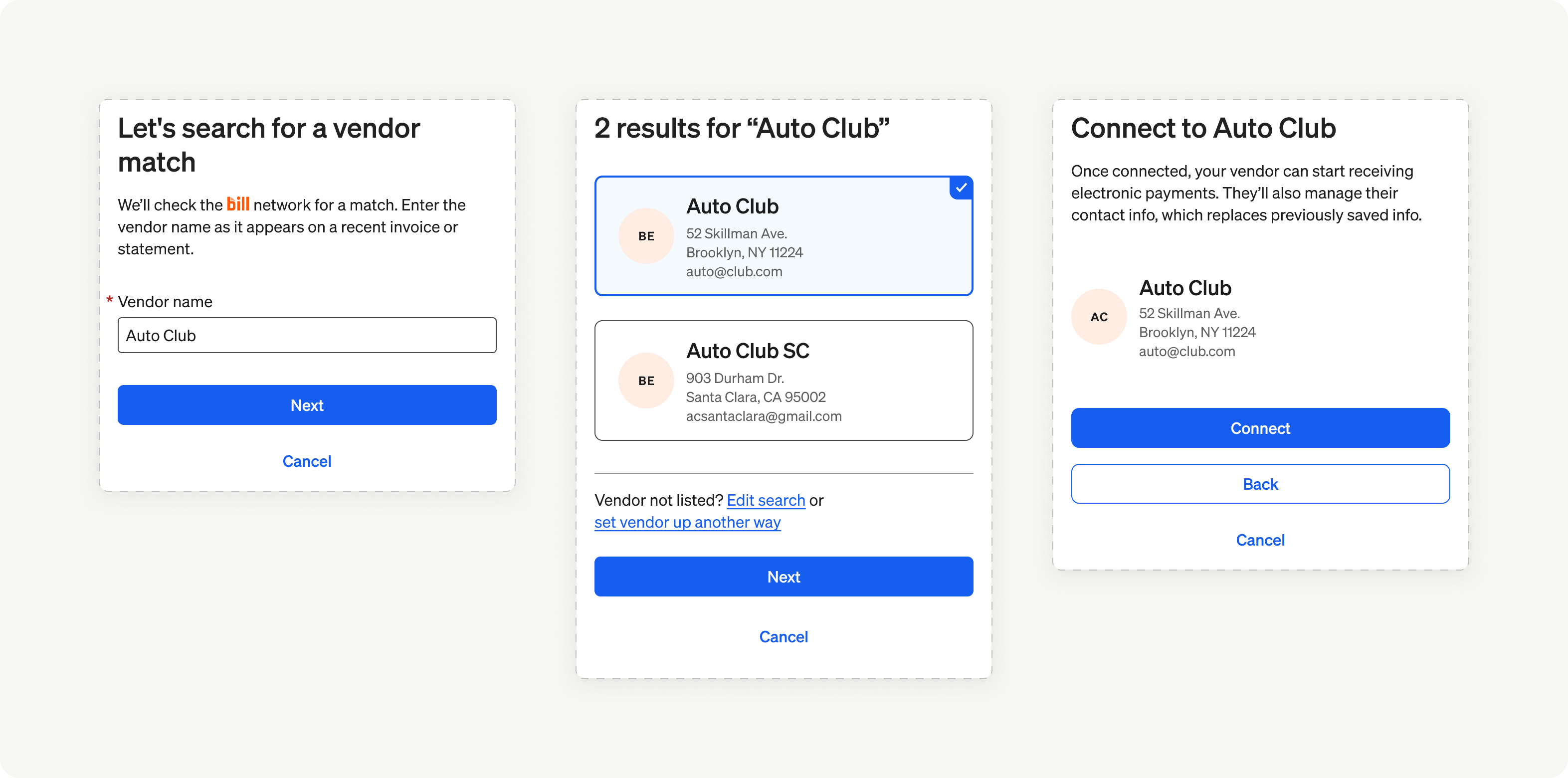
Element overview: US vendors
International vendors
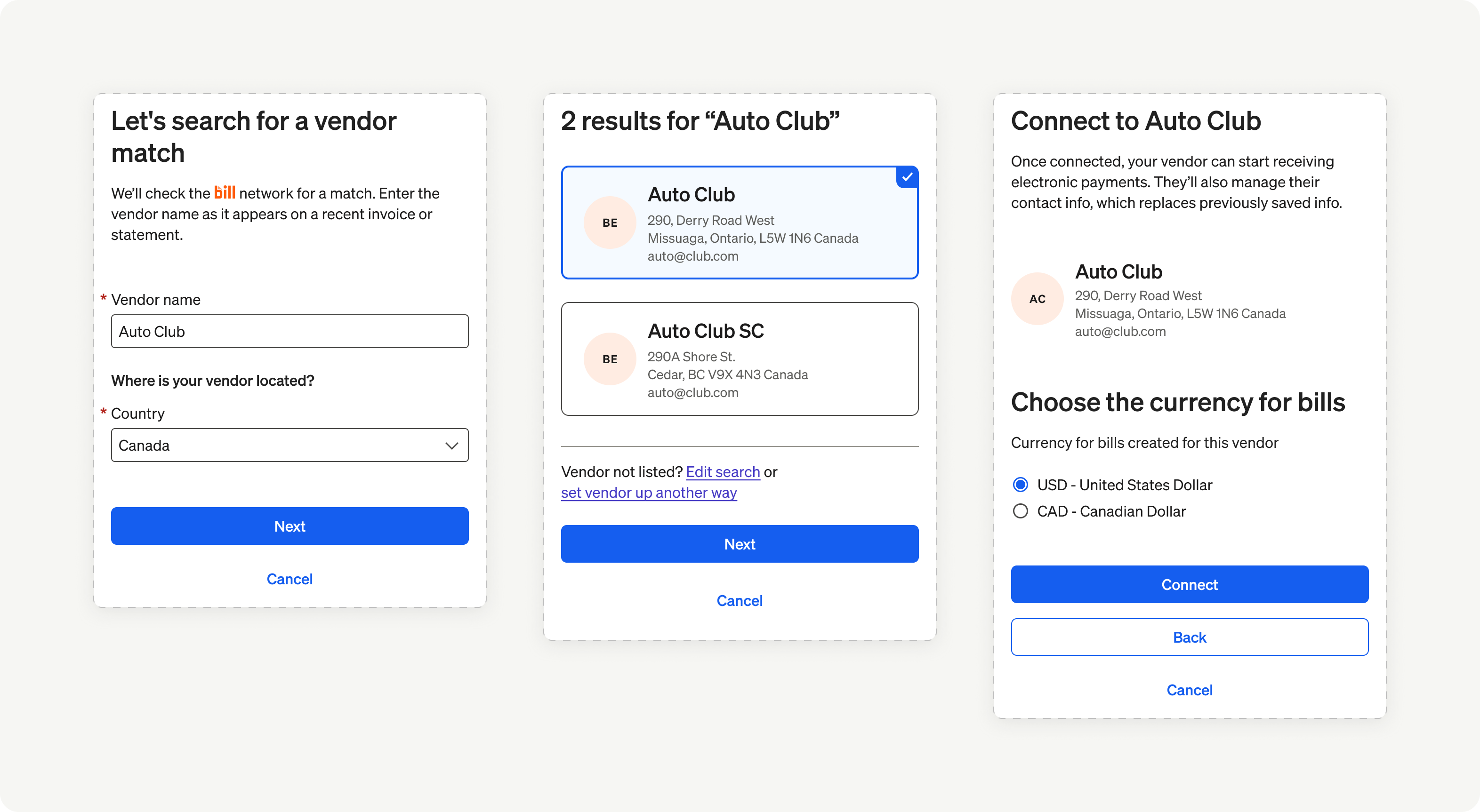
Element overview 01: International vendors
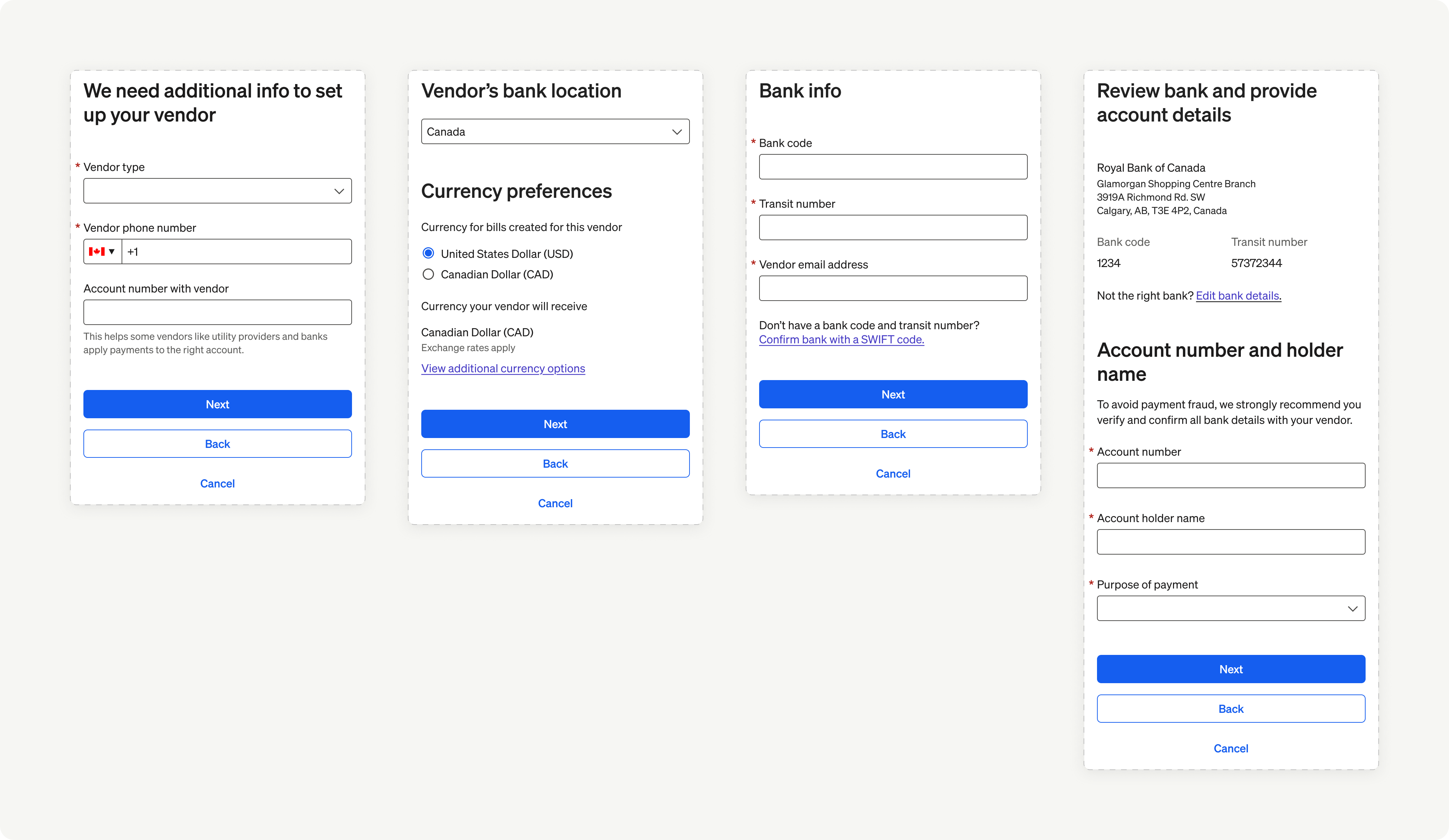
Element overview 02: International vendors
Assumptions
When the user is using the Vendor setup Element, BILL assumes that the user wants to create a new vendor record or connect an existing vendor record from their organization to a vendor in the BILL Network.
Entry points
There are a set of workflows where the Vendor setup Element can be integrated.
- When the user is attempting to add a new US vendor or an International vendor while also searching for or inviting them to the BILL Network, or adding their bank details
- When the user is attempting to configure an existing vendor for ePayments by searching for or inviting them to the BILL Network
- When the user is attempting to pay a bill to a vendor
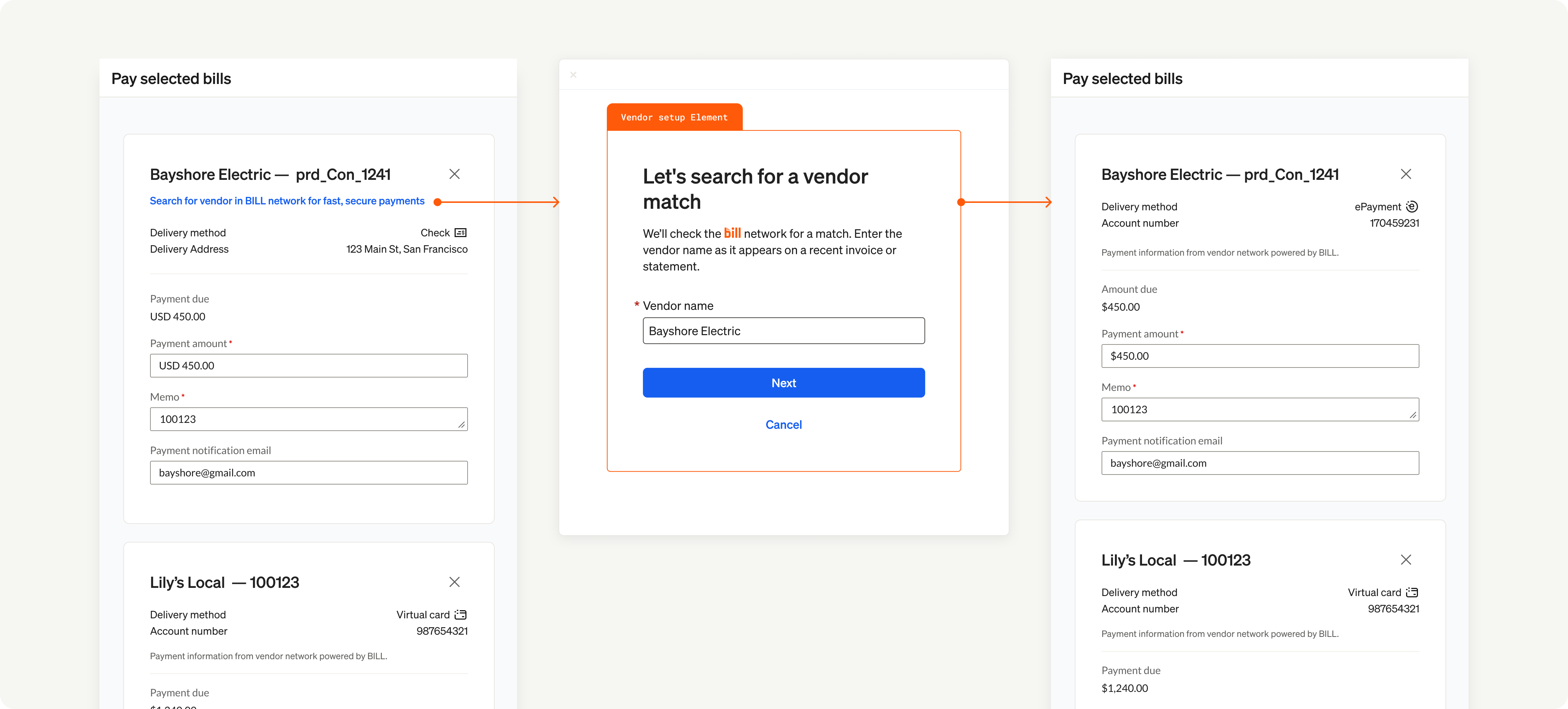
Element entry points
Map the user flow
Map the complete user flow from adding a new vendor record to successfully completing the process of making a payment.
Maintain context
Ensure that your users understand that they are creating a new vendor record or connecting an existing vendor record from their organization to a vendor in the BILL Network. In addition, your users must understand how this relates to their ability to pay vendors with your integrated experience.
Manual Vendor Setup
When a user sets up a vendor that is outside of the BILL Network, the user will be asked to provide specific information based on the vendor's location and the chosen payment method.
| Vendor type | Required information |
|---|---|
| US vendors |
|
| International vendors |
|
NOTE: When the user adds a bank account with manual setup, BILL requires 2 business days to complete a one-time verification of the bank account.
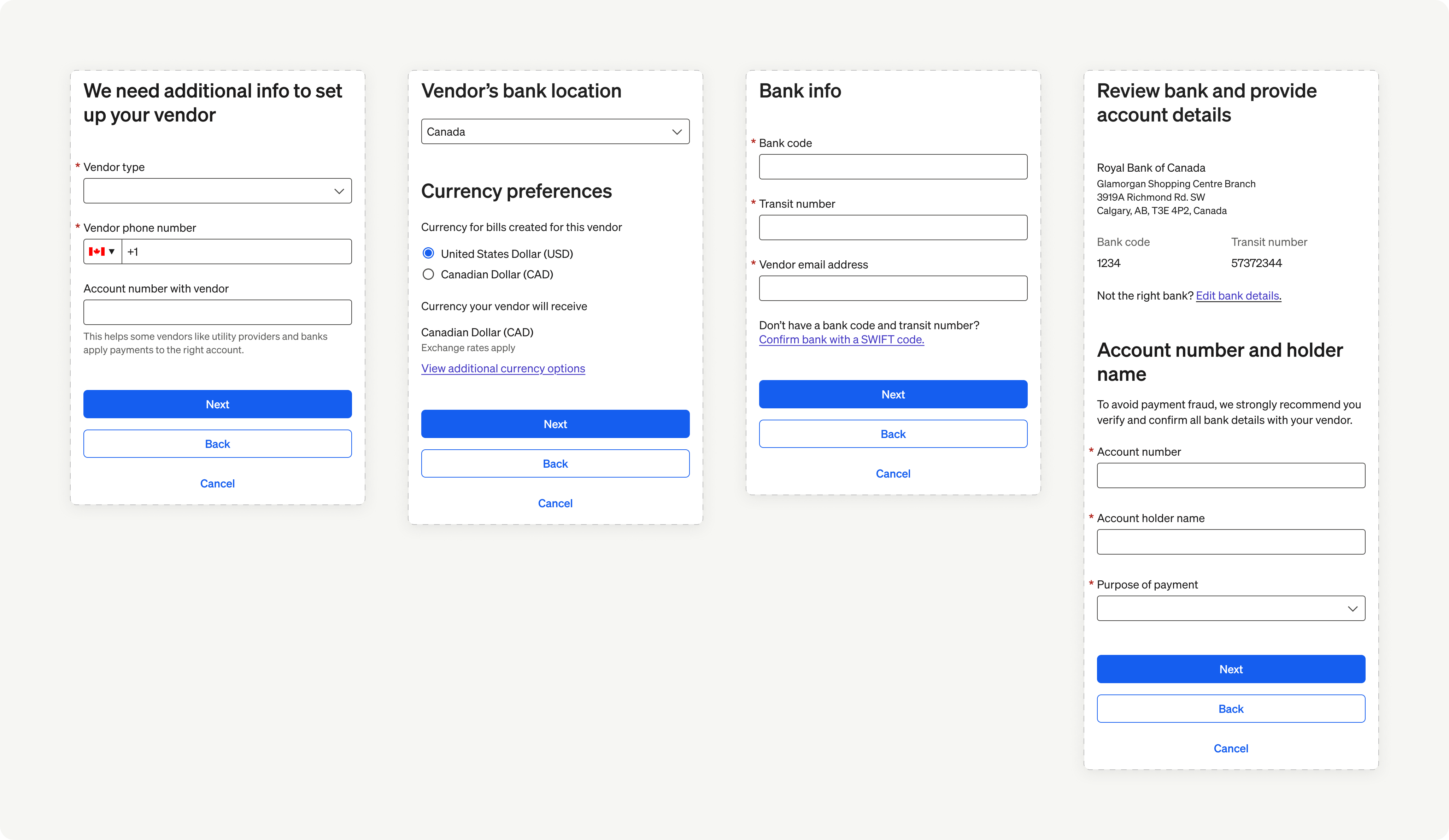
Manual vendor setup
Updated 8 months ago
What’s Next
Now that you understand the user experience, the next step is to integrate the Vendor setup element. Continue to the Implementation section to learn about pre-conditions, custom events, and error handling.