
Payments Element
What is the Payments Element?
The Payments Element enables users to view and manage their scheduled, in-flight, and historical payments made to vendors. With this Element, users can filter payments by vendor and easily manage payments. In addition, this Element enables users to schedule one-time payments to their existing vendors.
Element features
The Payments Element enables a set of user interactions and features.
| Feature | Description |
|---|---|
| Display a list of payments | Display a list of scheduled, in flight and historical payments made by the user. The list provides information about the payment process date, payment confirmation number, vendor name, payment delivery method, current payment status, and amount. |
| Filter, sort, and pagination | Search for and filter payments by vendor name. Sort payments by each column in the ascending or descending order. Navigate between pages when there are more than 20 payments in the list. |
| Payment details | Click a payment in the list to get detailed information about selected payment. |
| Schedule a payment | Schedule a one time payment to a vendor. When scheduling a payment, users can add payment details, such as funding payment method, a note for their vendor, and a process date for today or for a date in the future. Vendors will receive payments in their set payment method - ACH, virtual card, or check. |
| Cancel or void a payment | The user can cancel a payment only when the payment is scheduled. When BILL starts processing the payment, the user can attempt to void the payment. |
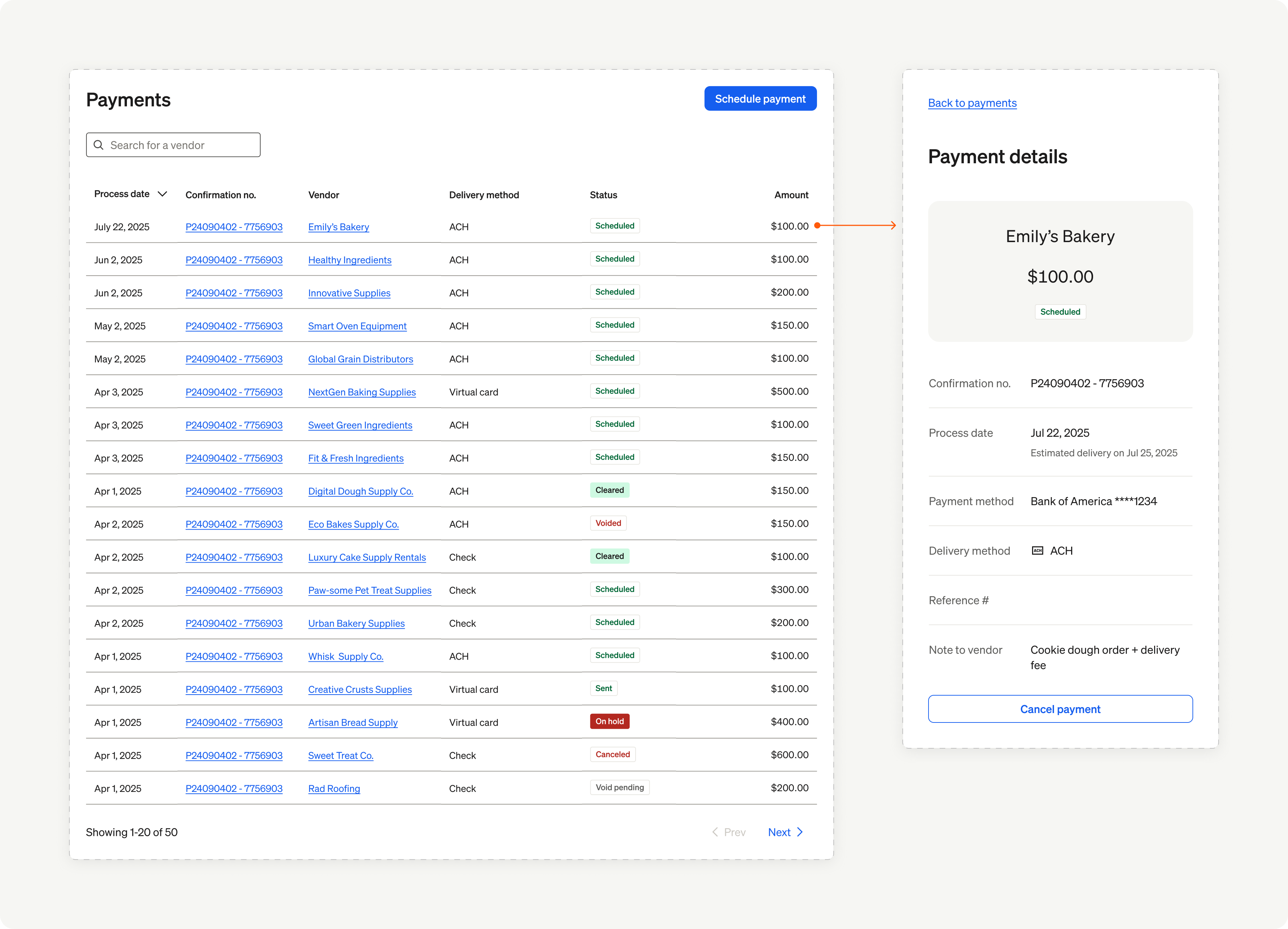
Payments Element overview
In the next set of sections, we showcase the user experience and implementation details for the Payments Element.
Updated 8 months ago
Did this page help you?